Virtual Modem by FabulaTech
Usually hardware modems are used to connect communications applications over standard phone lines.
Common solution has some drawbacks:
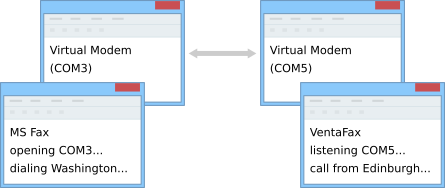
Virtual Modem allows you to create and use virtual modems instead of hardware modems. At that network connection (LAN or the Internet) is used for data exchange instead of phone lines.
1) Application A on local computer "makes a call" using virtual modem #1.
2) Virtual modem #1 on local computer connects to virtual modem #2 on remote computer over the network.
3) Virtual modem #2 accepts network connection and initiate "incoming call" for application B.
4) Application B reacts on "incoming call" from virtual modem #2 as if it was real incoming call initiated by hardware modem.
And now, applications exchange data as if they were connected via physical phone lines.
Virtual modems look like hardware modems for all communications applications.
|
Boxshot ImagesWeb Resolution Images: Print Resolution Image: |
|
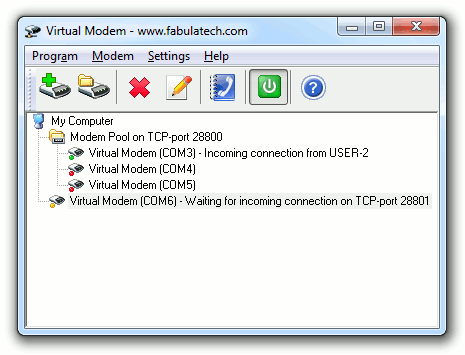
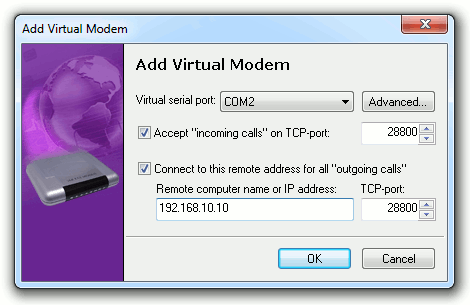
Screenshot Images |
|
|
FabulaTech LogoWeb Resolution Images: GIF 230x50 | GIF 115x25 | GIF 70x15 Print Resolution Images: |
Virtual Serial Port Control 3.1 released. Virtual serial port driver is improved. Several important fixes are applied.
July 15, 2010Sound over RDP 2.4.1 released. Hyper-V compatibility improved.
July 15, 2010Network Serial Port Kit 5.7.1 released. Virtual serial port driver is improved. Compatibility with MAP110 software is implemented.
June 01, 2010Serial Port Redirector 2.5 released. Optional keep-alive setting is added for Telnet connections. This release is based on updated virtual serial port drivers.
June 01, 2010Network Serial Port Kit 5.7.0 released. Fax-modem compatibility is significantly improved. Now the program correctly detects if a removable serial port (e.g. USB to serial cable) is unplugged.
Virtual modems look like hardware modems for all communications applications.